Apply Driving Licence Online In 7 Steps (2020)

apply driving licence online 2019

DRIVING LICENCE Online : As we all know in today’s life everyone loves riding and driving not only boys but girls are also love to ride a bike or to drive a car. As today’s generation is independent and they are able to travel from one point to another point. So here we are talking about driving license .

apply driving licence online 2019

Well today there are many public means of transport are available for people like cabs, auto and many more but people like to ride on their own. But if you want to ride a bike, scooter or to drive a car then you must have a driving license. It is the most important thing if you want to drive to on the road.

The act of motor vehicle of 1988 states that no individual can ride or drive a motorbike or car on the road if they do not have a valid driving license. As it is a punishable offense so you can not drive without a driving license. Now in this article, we are going to tell you how to apply for an online driving license without visiting RTO (Regional Transport Office).

Now it is very to apply online for driving license online or offline. Now you do not need to wait in a long queue for submitting your driving license application. You can apply online through your mobile phone or laptop or from any café.

Apply for new driving license online Documents required for driving license Why should you apply for driving license online
Process for applying learning license online Documents for applying learning license online Learning license test slot booking
Fees for driving license and learning license Difference between driving license and learning license  
   

Application for Services on Driving Licence:

  • First enter your DL number and your date of birth in the respective fields and click on the go
  • After that, the last endorsed details will be filled by the website automatically.
  • And then in submit request to option you have to choose your state and RTO from the menu of apply to state and RTO sections.
  • Now click on the proceed for next step.

Also Read : Apply Sarthi Parivahan Sewa New Driving License(DL)(Direct Link)

Procedure to Submit an Application for Driving Licence Online:

As we told you earlier that apply for a driving license online is very easy. You can apply online for a driving license by visiting the sarathi website of the ministry of road transport and highway. Follow these steps mentioned below to apply online for driving license.

  • First, you have to visit the website of the ministry of road transport and highway and select your state
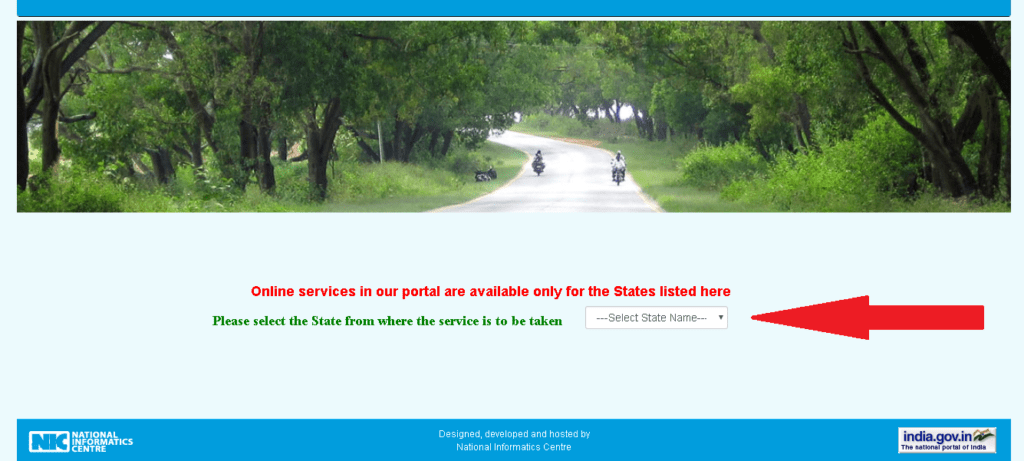
 Apply Driving License Online In 7 Steps (2019)

  • There is an option of Driving license on your left-hand side.

Apply Driving License Online In 7 Steps (2019)


  • Now select the Apply Online and choose the New driving license option.

 Apply Driving License Online In 7 Steps (2019)

  • Now there is some instructions on your screen for applying for a driving license online.

Apply Driving License Online In 7 Steps (2019)

  • After reading all the instructions carefully click on the continue button to proceed.

Apply Driving License Online In 7 Steps (2019)

  • After clicking on the continue option it will ask you that what you already have  A learners license number/ foreign dl number/ defence license number now choose one option.

 Apply Driving License Online In 7 Steps (2019)

  • Then it will ask to enter your date of birth in DD/MM/YYYY format.

Apply Driving License Online In 7 Steps (2019)

  • After completing the whole process click on the ok
  • In this form you have to fill all your personal details like your name, age, address etc.
  • After that you will be asked to upload some your documents as proof like age proof, address proof.
  • You will be also asked to upload scanned copy of photograph and a signature.
  • After uploading all the documents you will be asked to choose timing and date for your appointment. You can choose time and date when you have time to visit RTO directly and appear for your DL test.
  • After that once you have submit your application form with payment then your application for online driving license will be successfully sent to RTO.
  • Remember that on your appointment day you reach the RTO office a few minutes early.

The whole section is to be undersigned in the presence of licensing authority by the parent/guardian.

After completing the form the candidate can submit it by clicking on the submit button on the right end of the form.

After submitting the application form an auto-generated web number will appear on your screen note that number for future reference or to check your application status online.

Application Number Search:

Now we are going to told you what you have to do if you want to get applicant details. Follow the steps mentioned below to get applicant details.

  • At first choose the state from the select state option under the menu option.
  • After that you will get an option to choose RTO now choose the name of RTO.
  • Then enter your first name, middle name, last name and your date of birth in DD/MM/YYYY format.
  • Enter the captcha given below and click on the submit button.

Documents Required to be Submitted for Driving Licence(DL):

Here is a list of documents you have to submit along with your online application form of driving license.

  • Learner’s license.
  • Address proof- Any of the documents mentioned below can submit as a address proof.
  • Ration card.
  • Voter id card.
  • LIC Policy.
  • Utility bills(electricity bill, telephone or gas bill).
  • Payslip issued by state or central government.
  • Proof of age: any of the documents mentioned below can submit as a age proof.
  • Pan card.
  • School matriculation certificate of an individual.
  • Voter id card.
  • Birth certificate.
  • Driving school certificate(for transport vehicle dl applicants).
  • Passport size photograph.
  • All the documents related to the vehicle to be used for the driving test.

Also Read : New CSC Registration 2019 Full Process (Apply Now)

Why should you Apply for Driving Licence Online:

It is easy to apply online for a driving license and it is less time consuming compared to the manual process. You can easily download the application form and submit it after filling all the information and documents needed. After that you need to sit for a written exam and in an interview to clear the dl test.

You should know that the LL(Learners license) is only used for vehicles that are used for a personal purpose not for any commercial transport purpose. In a single online application, you can apply for LL for more than one category of vehicles. But if you want to apply for a driving license then first you have to apply for the learner’s license. There are conditions mentioned below for applying for the learner’s license.

  • The age of the applicant more than 16 years for two-wheelers and more than 18 years for four wheelers.
  • You can apply for driving license 30 days after the issue of your learner’s license.
  • You have to apply within 180 days of learners license being issued as it is valid only for 6 months.

How to Apply for Learner’s Licence Online:

You can easily apply for the learner’s license online just by visiting the official website. Download the application form online and fill all the required information and attach all the required documents. After that click on the submit button. Same as you can also apply for the Driving license online.

Documents to Submitted for Applying for Learner’s Licence:

Here is a list of documents you need to apply for learners license.

  • Physical fitness declaration form 1.
  • Passport size photographs.
  • Form 1-A medical certificate.
  • Proof of address: any of documents mentioned below.
  • Ration card.
  • LIC Policy.
  • Voter id card.
  • Affidavit sworn before public notary or a judicial magistrate.
  • Age proof: any of the document mentioned below.
  • Voter id
  • Birth certificate.
  • School matriculation certificate.
  • LIC Policy.
  • Affidavit sworn before public notary or a magistrate.

Learner’s Licence Test Slot Booking:

You can also book a test slot online through the sarathi website. But there are some states where you can not book a test slot online. Here is a list of these states.

  • Andaman and Nicobar island.
  • Bihar
  • Andhra Pradesh
  • Arunachal Pradesh
  • Chhattisgarh
  • Delhi
  • Goa
  • Haryana
  • Jharkhand
  • Kerala
  • Lakshadweep
  • Manipur
  • Meghalaya
  • Tamilnadu
  • Tripura
  • Sikkim
  • Madhya Pradesh

Applicants belongs to these states or union territories will have to visit the RTO website in their state to book a test slot.

But applicants other than these states can apply for a test slot through sarathi website. Here are some steps mentioned below to guide you.

  • At first visit the sarathi website.
  • Click on the slot booking option on the home page of the website
  • Now choose the LL slot booking option.
  • Now enter the web application number and your date of birth in the DD/MM/YYYY format.
  • Now a calendar will open with a new tab now you can select the date according to your choice.

Fees for DL and LL:

You can pay the fee using SBI challan or online. Here is a list of fees for different category of license.

Type of license Fee in rupees Revised fee January 2018
Learners license Rs. 30- Rs. 75 per license Rs. 150
Driving license Rs. 40 Rs. 200
Driving license for commercial vehicle Rs. 250 Rs. 600
International driving license fee Rs. 500 Rs. 1000
Driving license renewal fee Rs. 50 Rs. 200
Learning license renewal fee Rs. 40 Rs.200

Difference Between DL and LL:

In our country, there are two types of license one is Learner’s license and the second one is permanent license. Learner’s license is for those who want to learn how to ride and drive vehicle you can apply for a permanent driving license 30 days after the issue of your learner’s license. The validity of learner’s license is only 6 months. So you can not pay fir DL with out getting Learner license.

Also Read : [Video] Passport Seva |Track Passport Status : Full Guide (2019)

Conclusion:

We hope this article will helpful for all of you. Now it is very easy to apply online for driving license without visiting the RTO office. You can apply for learners license and for permanent driving licence just by visiting the official website.

Realme 3 Pro vs Redmi Note 7 Pro : The Real Budget King ?

Realme, has launched the Realme 3 Pro, at an initial price of Rs 13,990. This smartphone is directly related compete to Redmi Note 7 Pro, Xiaomi launched it a few months ago. Both of these smartphones have been launched in the budget range. Indian users are quite like Realme and Redmi smartphones.
Let’s know who is better in terms of performance than these two smartphones !


Realme 3 Pro vs Redmi Note 7 Pro: Display and Design

Realme 3 Pro and Redmi Note 7 Pro both have 6.3-inch Full HD Plus display panel. Both phones come with the Waterdrop Notch feature. 
In Realme 3 Pro, you get the protection of 2.5D glass. Both the phones have the Corning Gorilla Glass 5 panel. Both look the same as the phone. Both the front and back panels of the phone are given the same. Both fingerprint sensors are given in the back of the phone

Realme 3 Pro vs Redmi Note 7 Pro: Performance

Qualcomm Snapdragon 710 AIE Chipset Processor has been given in Realme 3 Pro. At the same time, Redmi Note 7 Pro has Qualcomm Snapdragon 675 processor.
Both phones come in two storage variants 4GB + 64GB and 6GB + 128GB variants. Dedicated MicroSD card slot for Realme 3 Pro has been given, while Redmi Note 7 Pro has a hybrid sim slot. You can extend the memory of Realme 3 Pro to 256GB via microSD card.

Realme 3 Pro vs Redmi Note 7 Pro: Camera

Speaking of Realme 3 Pro‘s camera features, it has a 16+ 5 megapixel dual rear camera. Talk about its selfie camera, it has a 25 megapixel selfie camera. 
Talking about the camera features of Redmi Note 7 Pro, it has a 48 + 5 megapixel dual rear camera. The phone has a 13 megapixel selfie camera.

Realme 3 Pro vs Redmi Note 7 Pro: Battery and Other Features

The Realme 3 Pro has a battery of 4,045 mAh whereas, in the Redmi Note 7 Pro, a battery of 4,000 mAh is provided. 
Both phones work on the Android 9.0 operating system. Realme 3 Pro has VOOC Fast Charging support while Redmi Note 7 Pro has quick charging fast charging support.

Realme 3 Pro vs Redmi Note 7 Pro: Price

 
Realme 3 Pro’s 4GB + 64GB variant is priced at Rs 13,999 while its 6GB + 128GB variant is priced at Rs 16,999. 
Redmi Note 7 Pro also has a price of 4 GB + 64GB variant of Rs 13,999 while its 6GB + 128GB variant is priced at Rs 16,999.

Final Verdict :

Realme 3 Pro and Redmi Note 7 Pro are a better phone for smartphone users of both the budget ranges. If you are interested in photography, then you can see Redmi Note 7 Pro as a better phone. Right here, Realme 3 Pro is a better phone for Selfie Lover. You can choose one of the two phones according to your need.

Jio4GVoice App for PC/Windows 7/8/10 Download Free (2020)

What is Jio4GVoice App ?

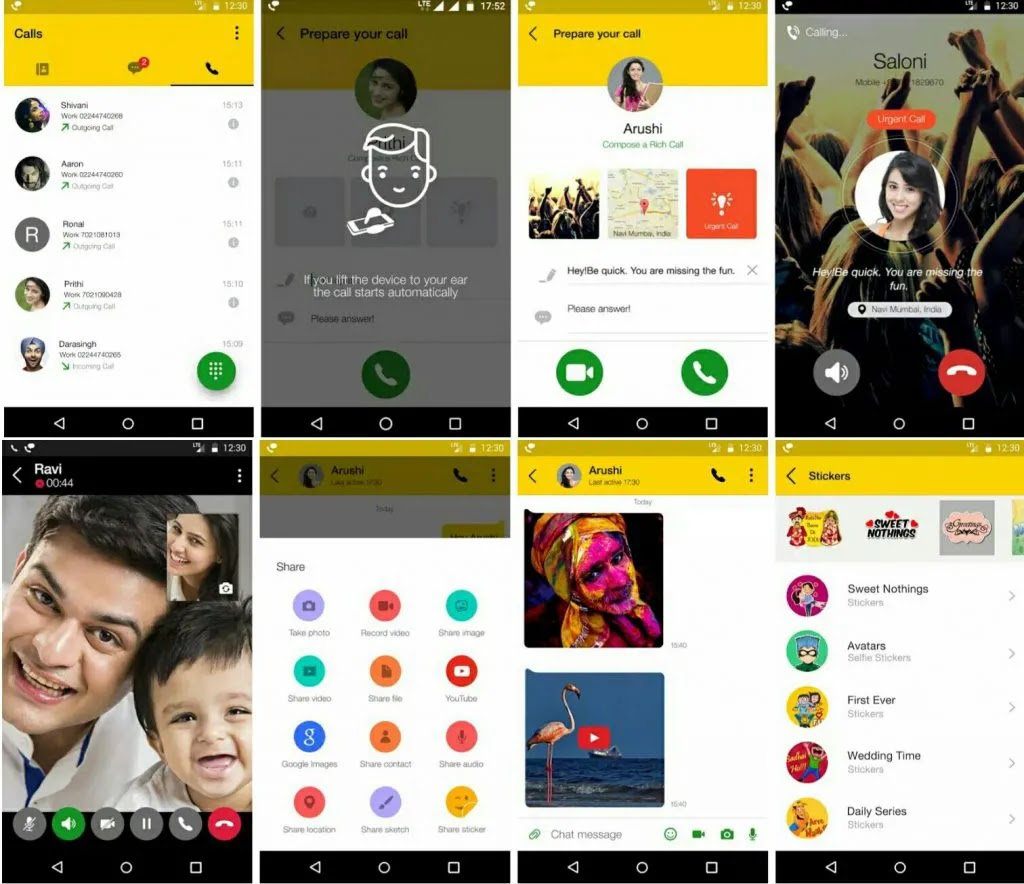
It is one of the most useful apps of Jio network provided by reliance Jio. The Jio4gVoice appprovides clear HD voice calls and unprecedented features that are much more useful for family members. 

In this article, I am going to tell you about how you can download Jio4gVoice app for your Android devices and download jio 4g voice app for your pc/windows 7/8/10 for free. 

First of all, let me tell you the the features of Jio4GVouce app!!

Features of Jio4Gvoice App

The app is available with some amazing features which make this app one of the best app provided by reliance Jio limited. So now I am going to tell you about these amazing features.


  • You can enjoy the best HD voice and video call with RCS(Rich Communication Services) in your Android device by using this app.
  • You can easily convert any 2G or 3G smartphone VoLTE enabled by jio4gvoice and wireless jiofi modem if Reliance Jio.
  •  You can make a call to other service providers number and on a landline number.
  • You can select the way to call using a phone network or jio4GVoice from the dial pad.
  • The app has also an urgency message feature which notifies the receiver about the urgency of the call.
  • You can connect up to 4 users on a video call and up to 6 users on a voice call.
  • The app also provides thousands of emoticons to express your emotions. 

How to download Jio4GVoice App on Android ?

You can download and install 5.2.2 version of Jio4Gvoice apk for your Android smartphone.  The version is latest and available not only for android devices but also available for iOS devices with the same features. 

jiuo4gvoice app for pc
Credit : 91mobiles

Here I am going to tell you about some requirements of your Android device if you want to download this app on your Android device.

Version Available
 5.2.2
 Required Android
 4.4 or Above
 APK File Size
 40.65 MB


You can download this app on your Android device from play store or directly by using the link mentioned below.

After downloading and installing this amazing app on your Android device now you can enjoy clear HD quality of voice call and video call.

8 Steps to Download Jio4GVoice App for PC/Windows 7/8/10

As we all heard about this amazing app and many of us want to download it for our pc/windows. So here I am going to tell you how to download jio4Gvoice app for pc/windows 7/8/10. 


  • First, you have to download an android emulator for your PC/windows.
  • The best emulator is Bluestacks. So, on the address bar type BlueStacks and then go to the official website of BlueStacks.
  • After that download the BlueStacks installer it will hardly take few minutes depending upon your internet speed.
  • After downloading the android emulator run it and choose the location where you want to install the app.
  • As soon as the installation complete run the app using the desktop icon on your pc/windows.
  • After completing all the process when you open the android emulator on your PC, some instructions will appear on your screen.
  • Now go to the play store and search for the “jio4Gvoice app” and then download and install it.
  • After downloading and installing the app now you can enjoy all the features. 

You can directly download jio4gvoice app for PC/Windows 7/8/10 from here :

How to install Jio4GVoice app on Mac ?

Install BlueStacks on your Mac then follow the following steps to install Jio4GVoice app on your Mac.


             – Connect your Mac to internet.


             – Open BlueStacksemulator.


             – Search for Jio4GVoice app


             – Go to Jio4GVoice app on the search results and Click install


          – Once installation is complete, this app will appear among the list of the apps installed in the emulator


             – You can click on the app to run it.


Conclusion:


I hope this article will helpful for all of you. By following the steps mentioned above you can easily download jio4gvoice app for your android device and PC/Windows 7/8/10. Remember one thing that to maximize android emulator experience your PC must have 4 GB RAM and a dual core processor. So that you can easily download and enjoy all the features of this app. 

Do let me know if you have any queries or questions in comment box below. And don’t forget to share this article with your Friends and others. Thank You !!

Also Read : 5 Steps to Download Vidmate for PC/Windows 7/8/10 (2019)✔️✔️

Top 4 Key Benefits Of Writing Error Free Essays(2020)

Essay writing is an important part of a student’s academic career. It continues through the entire student life starting from elementary, middle school to high school and even at the university level.


An essay refers to a piece of precise writing on any given lecture or topic with the writer’s viewpoints. 

While you are writing an essay, quality is very important. A quality essay should be error-free with no spelling, grammatical or punctuation errors and most importantly plagiarism free. 


Online Grammar Checking Tool for Error-free Essay Writing :

Grammarlyis one of the best free online grammar checkers for all students and professionals. Grammarly trial versionlets you have a  free trial for 7 days of the premium version. 

The premium version has advanced features like vocabulary enhancement, in-depth plagiarism detection, and sentence structure enhancement to improve your writing style. The software also has a free version which is an excellent instant grammar and punctuation checker but, with limited features. 

Benefits of Error free Essay Writing

You might be thinking why an essay writing is so important and how it is going to help you in life? 

Well, essay writing might involve a lot of brainstorming and research work but, it actually helps you in the long run. 

The following points will illustrate the benefits of an error-free essay writing.

1. For Increasing Knowledge

When you are writing essays on the given topics or completing assignments, you are actually researching on it. The process of researching gives you in-depth knowledge about the topics which you otherwise would have never looked for. 

Students writing essays on various topics comes to know about them in details scrolling through various trusted sources, research papers, white papers, pdf files, etc. 

This, in turn, increases their knowledge. Some people prefer hiring professional writers. Don’t do that as it will destroy your learning opportunity.  

Also Read :  Top 7 Link Building Tactics For Newbies (2019)

2. Improves Analytical Skills

Essays can be Narrative, Persuasive, Comparative and Expository. You might be required to write error-free essays on each type in your academic career and the assignment topics are generally challenging with a short submission deadline. 

In such cases, when you research and analyze the topics and also about the essay writing pattern, you develop your analytical thinking in critical situations. The more you practice, the more your thoughtfulness and analyzing capability increases which are highly required in the professional career.

3. Increased Opportunities for a Writing Career

An error-free essay writing not only gives you high grades but, also increases your reputation in schools and universities. 

Also Read :  Best PUBG Mobile Emulator for PC/Windows 7/8/10 (2019)

Professors and teachers often note students having good writing skills and provides them rewarding career opportunities to present their thoughts. Opportunities can be through a university presentation or any professional writing to showcase your talent. 

These opportunities further become the plus point in your CVS to help you excel in your writing career and other professional fields as well.

4. Improves Writing Skills

Students who invest time in learning to write error-free essays in their academic period, grow to develop a quality writing skill. 

They acquire immense knowledge to write in different styles, tones, structures with zero grammatical errors and 100% content originality. 

As a result, in the professional field, they prepare excellent work reports, documents, research papers and soar higher in their career. Also, as writers, they do excellent work bragging high-end opportunities.

Final Words


The above-mentioned 4 points are the key benefits of writing mistake/error free essays. Every individual should concentrate on learning error-free essay writing to have a bright career in future.

Also Read :  Top 6 Secrets to Create Engaging Videos for Social Media (2019)

SBI Net Banking Online Registration Process(2020)

Hello everyone here our come back with this new article. In this article, I am going to tell you about SBI Net Banking online registration process. The article is very helpful for peoples who are living in another city and have a bank account in another city. 
So in this article, I am going to tell you how you can complete the online registration process of SBI net banking. 


Advantages of SBI Net Banking Online Registration


Here are some advantages to SBI Net Banking online registration

  • You can transfer money from your bank account to another bank account. 
  • You can create your PPF account. 
  • You can also request for the checkbook.
  • You can see the statement of your bank account. 
  • You can also see your loan statement and at the same time you can request online to close it.
  • You can pay your bills using this service like your utility bill, different types of taxes. 

Disadvantages of SBI Net Banking


As we all know there is always pros and cons of everything. So , if  there are advantages of SBI Net Banking then there is also some disadvantages of SBI internet banking. 

  • The biggest disadvantage of net banking is the chances of fraud increases rapidly now days many hackers get your account details just by sending you mail. 
  • The second disadvantage of internet banking is that it needs an internet connection and a computer and nowadays not everyone has an internet connection and computer.
  • It is not equivalent to bank because you can not deposit or withdrawn cash by using internet banking. 


Also Read : Internet Banking : Something that You must Know !


How to apply for SBI Net Banking Online Registration ?


If you want to apply for SBI Net Banking online registration then you must have these three things at first,

  • Your mobile number should be registered in your bank. 
  • SBI Account Passbook is compulsory if you are going to apply for online registration process of SBI Net Banking. 
  • And the last one is your ATM Card because without it you can not apply for SBI Net banking online registration.
sbi net banking registration 2019


Here are some steps mentioned below by following these steps you can easily complete the SBI Net Banking online registration process.

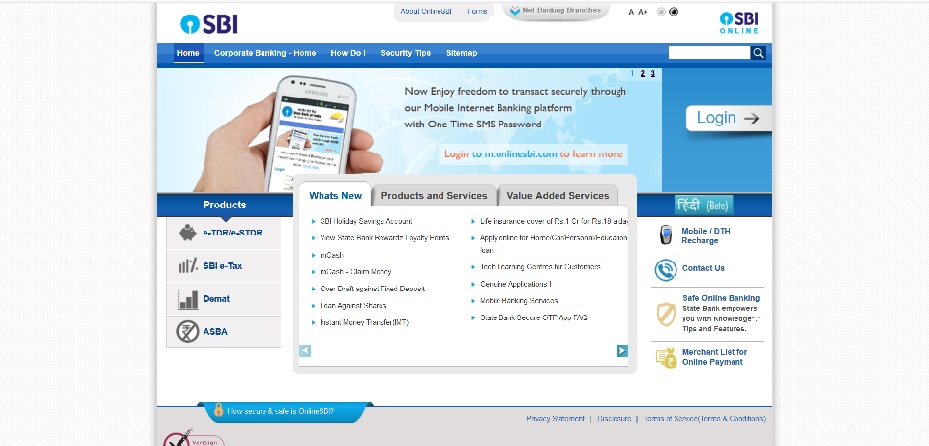
  • First, go to the official website of SBI. https://www.onlinesbi.com/
  • Now click on new user registration after that a new pop up will open with a message(If you already have SBI Net Banking then do not use this link), click on OK.
  • After that, a registration form will appear on your screen. You have to fill the complete information needed in the form like branch code, CIF number of your bank account.
  • Fill all the transactions right facility required option and click on the submit button. 
  • After that, you will receive an OTP(One Time Password) on your registered mobile number. If you didn’t receive any OTP then click on resend OTP option and you will receive your OTP through SMS. 
  • After OTP confirmation there are two options appears on your screen, and you have to choose one. 
  • The first option is that you have an ATM card(online registration without branch visit).
  • The second option is that you do not have an ATM card (Activation by branch visit).
  • Select the first option and click on the submitbutton.
  • Now a payment gateway of SBI will open so that you can check your SBI Net Banking by doing the transaction of Rs 1. 
  • Fill the details of your ATM card and click on the submit button. 
  • Now SBI will provide you a username, but you have to choose your password.
  • You have to enter the password twice and then click on the submit button. 


After completion of the whole process, you will receive a message that you have successfully registered yourself for SBI Net Banking and your username will be sent on your registered mobile number through SMS. 

Remember that the first login of SBI Net Banking is very important so carefully login into SBI Net banking and activate your account.


How to Activate SBI Net Banking ?


Now I am going to tell you how to activate SBI Net Banking? Here are some steps mentioned below by following them you can easily activate SBI Net Banking. 

  • After completing the SBI Net Banking Online Registration now close the current tab and open a new tab to login your  SBI Net Banking with your generated username and password (that you created at that time.
  • Now you can activate your SBI Net Banking by using that username or password. 
  • After login into your SBI Net Banking, a dialogue box will open and it will ask you for changing your username and password. 
  • So choose your new password and user name and click on the confirm button. 


After completing the whole process full transaction rights will be given to you two-three days.

Conclusion


Here comes on conclusion hope this article will helpful for you to register yourself for SBI Net Banking. So if you are an SBI customer then you can easily use SBI Net Banking  and enjoy all the services provided by SBI to their customers.


Hope this will help you so much. Do let me know if you have any further more queries in comment box below . Thank You !!

Also Read : CSC Registration {New & Old} – Full Process(April,2019 Updated)


Top 7 Link Building Tactics For Newbies (2020)

Out of all the SEO tips and tricks, link building is considered the most important one for any website. I cannot say that it is the easiest thing to do, but one needs to create a link in order to give their website the proper ranking.
However, if you follow certain steps, you will be able to generate links for your website, easily.

So, here are 7 link building tactics that you could follow in order to help your website grow.

* Writing about Current Topics


First thing first, do research and find out what is trending in your field of interest. Once you get to know about that, try to write on that topic only. 

Now, the question will come to your mind that how this will help in getting the required link? 


Well, when we use the term trending, it is understood that the topic has recently come up and that not much info is available on that. Therefore, it will help you in the creation of links.

* Writing blogs


If you have not yet started a blog for your website, then what are you waiting for? 


As I mentioned in our earlier point, that writing about the current topics will do the work. So, to write the content you should first start the blog.

* Collaborations


To build the proper link for your website, you can collaborate with the top bloggers of your field. 

link building tactics

This definitely is not going to work overnight and you really need to work for it. Try to visit their website frequently and do certain things that can make them understand that you are interested in them. 

After that, there will come a day when you could actually collaborate with them and can build a link for your website.

Also Read :  Best 10 WordPress Plugins for Blog (2019)

* Mentions in Backlinks

If you have started working for your website already, then you will come to know that there are times when people mention the name of your website in their content. 

In such cases, you should go to them and should ask them to turn on the mentions in backlinks. There are a lot of tools available for figuring out this.

* Audiovisual Components

Every blogger understands the importance of audiovisual component in any content, now a day. In the first place, they make your content look presentable and secondly, they could easily be used to build up links.  Any good SEO company Mumbai will suggest you the same.

* Data and Surveys

Like the images and videos that you add in your content, data and surveys too are important. 

link building tactics


They work the same as the images. First, they make your content more authentic and then it helps you in building up the required link for your website.


* Quality Backlinks

For the creation of quality backlinks, you first need to search for the websites that are on the top of the list. Now, to create the backlinks you need to go these content creators, email them personally and tell them about your content. They can provide you the backlinks.


With these tricks, you can actually generate a link for your website. after reading them, you will feel that link building is actually not that difficult that it seems to be.


Do let me know if you have any further queries in comment section below ! Thank You !!

Also Read : Top 6 Secrets to Create Engaging Videos for Social Media (2019)


Top 5 Best Smartphones under Rs 25,000 (2020)

Keeping in mind the rising needs, do you want to get expensive phones by rising slightly above the mid range, today I will tell you about 5 smartphones under Rs 25,000, which is rich in many excellent features, Make a place in your heart with quality. 

Let’s know about this in detail.

1. OPPO F11 Pro

This smartphone of OPPO is available with 6GB of RAM and 64GB of internal memory at just Rs 24,990. 

The phone’s most important feature is its Rising Selfie camera with 16 megapixels, which makes it an irrevocable. Apart from this, this phone also has a dual rear camera with 48 megapixels and 5 megapixels. 

Features such as Time Lapse, Slo-Motion, and NightScape Mode make its camera better.

oppo f11 pro

In terms of Display,this phone gives you a 6.53 inch full HD + LCD display with a resolution of 1080×2340 pixels. This phone of OPPO has a battery of 4,000mAh, which supports VOOC 3.0 Fast Charging. 

OPPO F11 Pro smartphone runs on Android OS 9.0 piebased on OS 6.0. It has got the MediaTek Helio P70 processor, which makes this phone awake. 

This phone will fit the expectations of those who love photography and play games and watch videos.

2. Honor Play

The Honor Play smartphone has a 6.3 inch full HD + IPS LCD display and has a resolution of 1080×2340 pixels. 

For speed and multitasking, this smartphone uses the Kirin 970 processor. This phone has a dual rear camera, with a sensor of 16 and 2 megapixels. 

This phone has a 3750mAh battery. The phone, which comes with 6GB RAM and 64GB internal memory, costs Rs 16,999. 

The design of Honor Play makes it look good, but due to the average camera quality it does not affect people.

3. Samsung Galaxy A50

To challenge Chinese smartphone companies, Samsung has also come in the market with Galaxy A50. Samsung Galaxy A50 has a 6.4 inch full HD + 1080×2340 pixel super AMOLEDdisplay. In addition there is the Octa-core Samsung Exynos 9610 processor.

Top 5 Best Smartphones under Rs 25,000 (2019)

Coming to the 4000mAh battery, this smartphone runs on the new One UI based on Android 9. However, in terms of performance in this range, this smartphone is slightly sluggish compared to other smartphones. 

A 25-megapixel + 5 megapixel + 8 megapixel triple camera is provided on the back panel of the phone. Its front has a 25 megapixel camera. 

The price of this phone is Rs 19,990.

4. Poco F1

The biggest feature of this smartphone is that the Snapdragon 845 processor has been given in it. It has a full HD display of 6.18 inches. For power the phone has a battery of 4000mAh, which supports quick charging. This phone runs on Android’s 8.1 Oreo.

Top 5 Best Smartphones under Rs 25,000 (2019)

The front of the phone has a 20-megapixel high-resolution camera and a 12 + 5 megapixel rear camera has been given. This phone is full of specifications, but when it comes to quality, this phone kills somewhere. 

The starting price of Poco F1 with 6GB RAM and 64GB internal storage is Rs 20,999.

5. Nokia 7.1

Nokia has proven itself in the last few years of smartphone cases. Nokia 7.1 is one of these. This phone runs on Android 9 Pie. 

Top 5 Best Smartphones under Rs 25,000 (2019)

It has 4GB RAM with Qualcomm Snapdragon 636 processor, while it has 64GB of internal memory. Its rear portion has two rear cameras with 12 and 5 megapixels, while the front camera is 8 megapixels.

Its price is Rs 18,999. 

By the way, Android One improves the user experience of this smartphone, but the Qualcomm Snapdragon 636 processor is worth a bit more because this price segment has better processor smartphones in the market.

I hope you like these smartphones under Rs 25K. These smartphones are really superb and value for money. Do let me know if you have any more queries in comment box below. Thank You !!

Also Read :  Top 5 Best Smartphones Under 15k(February,2019) Should You Wait for Redmi Note 7 Pro?

Digital Gas Leak Detector Review – You Must Know (2019)

If you don’t own any kind of natural gas leak detector at your homes or office buildings, it’s the right time to get one. 

Why? Well, let us explain us why.

Having a digital gas leak detector is one of the safest and most important thing for your safety and expenses as well. There actually are endless reasons to have one installed in your place. 

With the increase in new technologies all around the world, it has become more important to stay updated with all of these.
As such, gas leak detectors have been evolving as well, which makes them one of the best devices for this purpose. 
In case you are hunting for the best natural gas leak detectors, we are here to help choose the best gas leak detectors as per your requirements.
Before we actually start mentioning these devices, here’s what we have to mention about Gas Leak Detectors.
These devices enable engineers as well as other professional personnel to identify the combustible gas leaks which occur in commercial and residential areas. Such kind of devices include the semiconductors who rapidly determine the exact area of tiny leaks.

Most of these detectors are equipped to detect a lot of combustible and non combustible toxic gases. In nutshell, it provides a lot of safety.

So, in case you are longing to purchase one, we have the list of such detectors along with the digital gas leak detector reviews which would help you purchase the best of the units for yourself.

Plug in Explosive Gas Detector

This particular gas detector has been one such unit which has been in a trend lately for its amazing quality and material that’s used in the manufacturing of this product. 
It is one of the most purchased unit which gives you a 3 way protection against any kind of natural or methane gas leakage.
It also comes with a backlit digital display that happens to be a combo of plugin and battery operated display. It also comes with a 6 foot line cord which can easily be placed in multiple options. 
The battery backup of this device also ensures that the device would work even if the power has been cut off. This unit comes with a 7 year warranty and is one of the most trusted brand in the markets which makes it equally reliable.
UEi Test Instruments CD100A gas leak detector
This unit is specifically one of the best detectors which is known to identify any kind of hazardous or combustible gas leaks which comes from any kind of the sealed systems which we use. 

One of the best things about this unit is that it is quite sensitive along with being easy to use. It also comes with a simple adjustable TiCo rate. 

Digital Gas Leak Detector Review – All You Need to Know (2019)

The UEi also comes with a 18” goose neck that gives you an access to any kind of the hard to reach areas and reach every corner of your home or office.

It has a tip light in the sensor which covers the area of the leak along with providing an accurate detection of any kind of leakage. The weight of this unit is 4 pounds and is of quite better quality.

BrassCraft BCGLD01 Safety Plus Detector

The BrassCraft detector is another compact gas leakage detector which happens to be super sensitive along with being reliable and worthy of the money which you spend over it. 
It is quite an easy device to use which detects the natural or other kind of gas leakages as well. 
This unit also comes with audio and visual alerts and happens to be a battery operated device which has an embedded microprocessor with low battery feature alert. 
To be honest, it is an amazing device which you would need to detect any kind of gas leakage at any part of your house or so.

Liquefied Petroleum Gas Detector  

The Liquified Petroleum Gas(LPG) Detector comes with a catalytic sensor type that’s known to detect any kind of gas leakage in your homes or office space. 
It is best used for household uses and also needs a static current of 110 mA. 
The product package also comes with a gas detector and a  3M USB cable with a bunch of expansion screws and a user manual which makes it one of the best products in the list.
Do let me know if you have any queries related to this digital gas leak detector in comment section below. Thank You !!

Top 6 Secrets to Create Engaging Videos for Social Media (2019)

A lot of people have chosen social media as their primary source of income. They usually produce high-quality text, image, or video content for their social media profiles in order to increase engagement. However, videos are significantly more popular than any other type of content available online.

Even though many people try their luck at creating engaging and insightful videos, they generally forget about a few basic points. 

In this article, I will share with you six such things that you should always remember while looking to produce engaging video content.

1. Increase Curiosity


Sharing content which is already available on social media can sometimes prove to be negative. Therefore, one needs to produce videos which increase a viewers’ curiosity. 

This can be done by choosing topics which are not explored a lot. 

Another way to do the same is by creating short video trailers that can be published in advance. It will give the audience a snippet about what is coming up on your channel and will also help generate a buzz.

2. Tell A Story


The next thing that you should always keep in mind while looking to create an engaging video for your social media channel is that it should have a story. The video should not be about a bunch of random stuff put together. 

Instead, it should take you through a story which is well narrated. Even if you how shot the video on different occasions you can later put them together using online tools. 

You can even convert old formats like Mts to Mp4 online with the help of software like VC online. 


3. Should Be Inspiring


An entertaining video can also be inspiring at the same time. 

This is a concept which should always be kept in mind while looking to drive up engagement level on your social media profile. The more interesting or inspiring topics you choose, the better the results you will be able to get from your published videos. 

Besides, conducting research on your topic can also help make it more inspiring rather than just an informative video.


4. Make It Short


A mistake that a lot of people make these days is by creating long social media videos. 

Nobody has the time and energy to go through a 30-minute long video. This also results in lower traffic on your social media profile. 

The ideal way to deal with this and increase engagement on your profile is by creating short videos. They are the most popular and are loved by everyone. 

Besides, short videos can be created for any type of content category, so you do not have to worry about that as well.

5. Compatibility with Channels


There are so many different social media platforms available that uploading a video can be a time-consuming thing. 

Moreover, these channels allow different formats on their system which is why you need to make sure that your videos are compatible with the channel policy. 

Even if they are not you can easily use tools like VC online to change the format from Mts to Mp4 online. 

6. Must Be Credible


The last but definitely not the least! 

The information that you share through your videos should always be credible. Since your videos will be watched by thousands or even millions of people, it should be correct. 

Spreading wrong information cannot only have a negative effect on viewers but can also reduce your engagement level significantly.

Since now you knew everything about how to create engaging social media videos, make sure to implement these tips to your next content creation project. And do let me know how you create videos for social media in comment section below . Thank You !!


Best PUBG Mobile Emulator for PC/Windows 7/8/10 (2019)

Player Unkown’s Battleground(PUBG) is the best online game of 2018. The game is developed and published by PUBG corporation, Bluehole(A subsidiary of South Korean video games company). 
Playing this game on your mobile is surely convenient but what if you can see these real-time features on your PC/ Windows? 
If you want to play this game on your PC then there are two options for you. 
                       – The first option is that you can purchase this game for your PC but it is costly. 
                       – The second option is that you can install this game on for your PC using Android emulators. 
Can you ever think that what is android emulators? 
So, let’s Get Started !!


What are Android Emulators?

Android emulators are software using this software you can emulate or run android/OS apps on your PC. The software is available for peoples who want to use android apps on their PC. There are many types of android emulators available. 

Here I am going to tell you about android emulators. Here is a list of top 6 best android emulators for PUBG.

  • Tecent gaming buddy
  • BlueStacks
  • Memu
  • Nox player
  • LD player
  • Andy

How to Play PUBG Mobile on PC?

As I have been told you earlier that you can run or emulate your mobile apps/games on your PC using android emulators. 
So the question is “How to play PUBG mobile on PC?” 

Basic Requirements for PUBG Mobile Emulators

As we all know there are a number of Android emulators for playing games on your PC. But there are some basic requirements for PUBG mobile emulators. 
Here is a list of some basic requirements for PUBG mobile emulators. 
  • CPU: It should be dual core from intel or AMD at 1.5 MHz.
  • GPU:  It should be NVIDIA GeForce 8600/9600 GT, ATI/AMD Radeon HD 2600/3600.
  • RAM should be at least 3 GB.
  • Operating system should be windows 7/8/8.1/10.
  • Storage should be of 1GB.

Top 6  Best PUBG Mobile Emulators for PC/Windows 7/8/10

The name of the top 6 android emulators mentioned above. Here I am going to give you a brief description of these android emulators. 

Tencent Gaming Buddy:

The android emulator is specially developed for PUBG by Tencent. Android users can easily play android games on their PC by using this android emulator. 

It is the best android emulator for PUBG game because it is developed by the developer of PUBG game.   

The android emulator enables the best mouse and keyboard controls which helps you to play PUBG game on your PC easily. You can change mouse and keyboard settings of your PC but it totally depends upon the quality of hardware of your PC. 

You can also play PUBG mobile on the low end by using this emulator.

Key Features:

  
  • You can fully optimize controls.
  • You can also play PUBG mobile on the  low end on your PC by using this emulator.

 Also Read :   Top 37 (Cool-n-Easy) Ways to Make Money Online (2019)

Blue Stacks:

As we are talking about the top 6 best Android emulators, BlueStack is one of them. The emulator is compatible with both windows and mac and also compatible with all types of Android games and apps. 

There are two versions of this emulator for PUBG. 
                                 – The first version is free 
                                 – The second version is paid. 

But the free version is available with ads while the paid version is ads free. The emulator will run your game smoothly and efficiently even on the low-end computers. 

You can also play this game by using the gamepad feature. 

It enables the integration of different gamepad features. The best feature of this emulator is that the emulator has the ability to launch many instances at a time so that you can play different types of games at a time. 

You can also downloadmany android games and apps using BlueStack emulator.

Key Features:

  • The emulator is compatible with both windows and mac.
  • The emulator has the ability to launch multiple instances.

Memu:

Memu is also one of the best Android emulatorsthat have managed to become popular. 

This emulator is the best Android emulator for PUBG with higher speed. 

And it also provides more features compared to other android emulators. 

After launching this emulator you are greeted with a 4-year-old Android version with the menu on the right-hand bar. It has a preloaded play store so that you can download any android app/games on your PC. 

You can also open an APK file directly by using this emulator. 

As I told you earlier that the emulator has a wide range of features which makes easy to play games on a big screen. 
Here you can also run multiple games and apps at a time. 


The emulator supports full-screen mode, screenshot tool, operation record, and many more features.

Key Features:

  • It has preloaded google play store.
  • Here you can download APK files directly.
  • It supports operation record and screenshot tool.

Nox Player:

As we are talking about PUBG Mobile emulators, Nox  is another android emulator for those who want to play games on their PC. It allows you to download the APK files downloaded outside the play store of your PC. 

You can also enjoy gameplay using your gamepad. 

This emulator has also some features like screenshot and screen recording option. It is in the toolbar at the right end of the window. You can also play a number of games at a time.

Key Features:

  • It allows you to load APK files downloaded outside the play store of your PC.
  • You can also allocate RAM and CPU.

 Also Read : Easy Steps to Download PicsArt for PC/Windows 7/8/10 (2019)

Andy:

As we all know that Andy mobile emulator is different from all other emulators. You can connect your Android device and PC together by using the Andy mobile emulator. 

Andy is compatible with both windows and mac. 

It provides you better communication, social networking, and entertainment mobile to the desktop. So you can also receive WhatsApp messages.

Key Features:

  • The emulator is compatible with both windows and mac.
  • It connects the Android device and PC together.

LD Player:

It is one of the latest mobile Android emulator for PUBG.  You can play PUBG mobile on your windows and mac with the stunning graphics and amazing gaming experience by using LD emulator. 
You can play PUBG and many mobile games with keyboard and mouse. You can install games and apps from google play store and can play a number of games at a time.

Key Features:

  • You can play games with mouse and keyboard.
  • Download apps and games from google play store.

How to Update PUBG Mobile in Tencent Emulator?

If you have an old version of android mobile emulator then you have to first install the updated version of Tencent emulator. But if you want to update your game then follow the steps mentioned below.
  • Openthe recent Android emulator.
  • Then click on the PUBG.
  • There will be two options. One option is play and second is update instead of play.
  • So click on the update option and you can update your game.
Hope you can now play PUBG Mobile game on your PC/Windows 7/8/10 easily via these emulators. Do let me know if you have any more queries or doubts in comment box below. Thank You !!